Technology lovers welcome to the world of apps for facial recognition!
Have you ever noticed how your phone recognizes you before you do?
It’s like having a private investigator in your pocket!
The speed at which technology is developing has made facial identification apps an essential tool in our daily lives. Whether you’re looking for the best free face recognition app or keeping up with the newest face comparison app, there’s always something new to discover.
Prepare to explore this world where facial scanning apps are transforming 2024!
What is Facial Recognition?
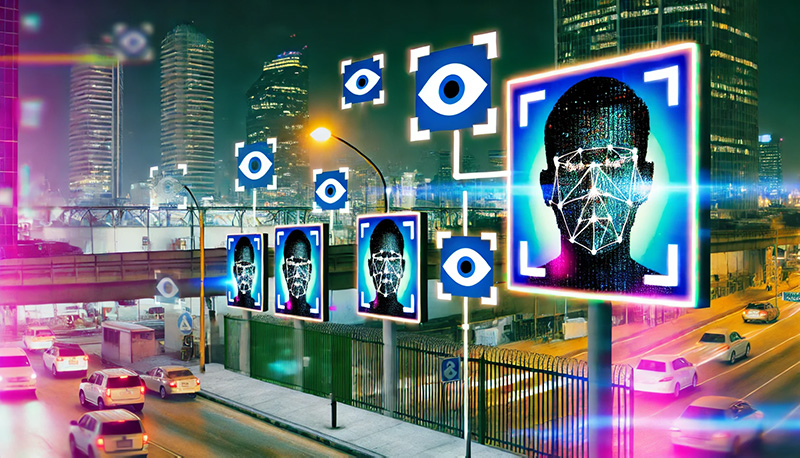
Similar to your phone saying “I recognize you!” when you wake up, facial recognition technology uses unique facial features to authenticate and confirm people’s identities. It takes pictures, analyzes, and compares features from a person’s face.
Fun fact: Facial recognition technology is so detailed that it can create a unique “faceprint” by mapping 68 different points on your face!
How Has Facial Recognition Changed the Game?
Face recognition apps for photos have significantly enhanced security and allowed for safe smartphone access, among other things. The problems associated with misplacing keys or forgetting passwords are over, all because of this ground-breaking invention!
Can you imagine a world in which you never have to remember passwords again? Doesn’t that sound like a fantasy that is not possibly true?
Also check: Best Apps for Tracking Macros
Types of Facial Recognition Features
- Face Detection: Face Detection is the first step in most facial recognition processes, and its primary purpose is to identify and localize human faces in photos and videos.
- Face Comparison: The Face Comparison function determines if two faces are those of a single person, which is perfect for applications that reveal which well-known person you most resemble!
- Face Identification: The sophisticated feature known as “face identification capability” uses a database and a person’s picture to establish the person’s identity. Think about using it for social media tagging and security configurations.
- Facial Scanning: By creating a three-dimensional representation of your face, the Facial Scanning function improves recognition accuracy. Because this technology is integrated into high-security systems, it is commonly used for financial purposes.
- Face Finder: The Face Finder is a detection tool that uses facial recognition software to find people in databases or social media networks. It’s a great way to connect as well as catch up with old friends!

Best Free Facial Recognition App
1. FaceApp
Have you ever wondered what you might look like if you were a different gender or an elderly grandparent? For limitless enjoyment, look no further than FaceApp, the best photo-editing tool available. This software has excellent face recognition capabilities in addition to its amusing transformations.
Features:
- Age Transformation: Explore how you look at different ages with Age Transformation. Use the popular aging filter to see how you might appear to be decades older or younger, and join the millions of others who are sharing their past and future selves.
- Gender Swap: Use FaceApp’s gender swap feature to experience an entertaining and unexpected makeover.
- Enhance Your Smile: Achieve the Perfect Grin in Photos. You can easily add a natural-looking smile to even your most serious selfies with FaceApp.
- Hairdo: Without doing so, try out different hair colors and styles.
- Aesthetic Looks: Try out a variety of cosmetic looks to see which ones showcase your best features.
Ready to give it a go on your phone? You never know, you might look like a movie icon when you’re 80!
Security Concerns:
It’s important to be mindful of one’s privacy. FaceApp provides a full detailed security guideline that you must go through before using it every time. Your images are accessible to the Face Compare app, and some users have expressed concerns regarding the usage and storage of the information.
2. iFace
Have you ever had comparisons made to a well-known figure? Well, you can eliminate all those arguments about likeness with the iFace app. With the help of this amazing program, you can assess how much your face resembles that of celebrities or even friends. It’s a fun activity that reveals people’s surprising shared characteristics!
Features:
- Celebrity Comparison: Use iFace to find your famous twin! Simply upload a photo of yourself, and the database will look up the most similar well-known individual. Try it out now and see if you look like an iconic singer or an A-list movie star.
- Friend Comparison: Compare your face with your friend! iFace compares your photo with theirs to find striking similarities.
- Look-Alike Contests: Take part in the entertaining Look-Alike Contests to discover which of your friends or followers most closely resembles a particular celebrity or fictional character.
- Facial Similarity Scores: Get detailed face similarity scores to find out how well your unique traits match those of others. This function makes use of sophisticated algorithms to provide reliable comparisons for higher accuracy.
Easy To Use:
The software will handle the rest—you only need to shoot a selfie or choose one from your collection. You’ll be paired in a matter of seconds with your closest matching friend or your celebrity twin. This simple interface’s user-friendly design makes comparing oneself enjoyable and easy!
Security Concerns:
iFace processes and stores all uploaded photos securely, placing a high priority on user privacy and security. The face identification app’s detailed privacy policy is available for users to review in order to learn more about how personal data is handled. People must always be aware of the permissions they have been granted and change the appropriate settings when using any application.
Download: Android
3. TrueKey by Intel Security
For those who appreciate security and usability, Intel Security’s True Key is the best facial recognition app. With its state-of-the-art facial scanning technology, you can easily log into your accounts and have exclusive access to your private information. The days of worrying about passwords are over thanks to this creative platform, which guarantees seamless protection at all times!
Features:
- Biometric: True Key uses the unique features on your face to make it easier for you to log into your accounts. This biometric verification method eliminates the need to remember complex passwords, which streamlines the procedure while also providing a high level of protection.
- Multi-Factor Authentication: Multi-factor authentication is created by True Key, which combines facial authentication with other verification methods including fingerprint scanning and trusted device confirmation to increase security. This multi-tiered strategy guarantees strong protection against unwanted access.
- Safe Password: All of your passwords are safely stored and managed using True Key, a password management tool. True Key makes internet security simple by creating secure, one-of-a-kind passwords for every account and auto-filling them when needed.
- Synchronization: True Key synchronizes data across all of your devices—computer, tablet, and phone—to ensure that you can access your accounts on any of them.
- Store Private Information: You may save passwords and other private information, such as credit card numbers and personal papers, safely with True Key—a comprehensive security solution.
When you think back on your life, how many passwords have you accidentally forgotten? That score would not be able to be counted. But this problem is fixed by True Key’s facial recognition concept. Imagine a time in the future when changing lost passwords is not necessary—that idea alone makes me happy!
Easy To Use:
True Key has been developed to be user-friendly with convenience in mind. It’s very simple to set up; all you have to do is download the app for face recognition, make an account, and follow the directions to turn on face recognition. Once you’ve set up your account, you can log into many accounts by simply pointing your device’s camera at them, and its user-friendly interface makes it simple for you to handle passwords and sensitive information.
Security Concerns:
True Key is rated highly in terms of security and privacy. Intel Security has implemented strict controls to secure your data, including encrypting all confidential data to prevent unauthorized access even if your device is compromised.
4. FacePhi
Choose FacePhi’s facial scanner for a hassle-free and safe banking experience. With an emphasis on finance, its excellent facial recognition guarantees user ease and safety in mobile banking. It’s easier than ever to manage your finances with only a FacePhi selfie!
Features:
- Account Security: Users can increase the security of their bank accounts and have hassle-free access by using FacePhi’s facial recognition login feature. This biometric authentication method ensures that the likelihood of unwanted access is reduced and is both very safe and practical.
- Transaction Authentication: For an extra degree of protection, Transaction Authentication gives you the ability to approve transactions via facial recognition software. This ensures that you alone have the authority to approve financial actions.
- Detection: FacePhi uses improved liveness detection technology that can discriminate between a real person and still or moving photos in order to foil attempts at impersonation. This greatly increases the difficulty for dishonest actors to access the system.
- iOS & Android: FacePhi provides innovative security features that are compatible with iOS and Android smartphones. This implies that users, irrespective of their preferred platform, can take advantage of cross-platform connectivity.
- Easy Linking: Without requiring any significant changes to a bank’s infrastructure, FacePhi’s technology easily links with existing banking apps and systems to improve the user experience.
Did you know that banks in 25 countries have used FacePhi’s advanced technology? That’s a significant accomplishment on a worldwide level!
How To Use:
FacePhi offers an easy-to-use setup method that puts the user first. To use the application, just download it, then take a picture of your face. Once set up, it’s as simple as snapping a quick selfie to authorize transactions or access bank accounts. The user-friendly design of the app ensures that even beginners may easily navigate through it.
Security Concerns:
This app for face recognition is very safe to use and ensures proper measures are taken to keep your data hidden and private.
Impact:
The banking industry has seen a significant change as a result of the implementation of FacePhi’s face recognition technology, which improves customer experience and security protocols. Through the integration of this innovation into their systems, banks may provide their customers with more security and ease while handling their accounts.
Download: Android

5. FindFace
Have you ever met someone at a party and been unable to remember their name? There’s excellent news if you use social media frequently! The ideal face recognition software to save you from unpleasant situations is called FindFace. FindFace can discover someone’s relevant social media profiles by just taking a picture of them, which makes it possible to reconnect with old acquaintances or make new ones.
Features:
- Instant Face Recognition: All you need to do to use Instant Face Recognition is take a picture of someone, and FindFace will analyze the picture to identify the subject. Using complex algorithms, the application compares faces to available profiles on social media networks.
- Social Media: This face finder app easily integrates with well-known social media sites like Facebook, Instagram, and LinkedIn. When you find someone who matches, you may check their profile and initiate contact right away.
- High Accuracy: The software takes pleasure in achieving a high accuracy rate that allows it to detect faces even in dimly lit or busy areas, all thanks to its sophisticated facial recognition algorithms.
- User-Friendly: FindFace’s user-friendly design makes snapping images and doing searches easier with its smooth navigation mechanism. This feature offers a user-friendly platform that is accessible to all, catering to those who are not proficient with technology.
- User Privacy: FindFace offers choices for controlling the handling of your data to protect user privacy. Depending on your preferences, you can choose to make your profile fully searchable or completely private.
I mean… Didn’t it just upgrade your stalking skills?
How It Works:
To get started, simply open the app, take a picture of the person you want to target, and then watch the magic happen! FindFace’s massive database will search through innumerable profiles in a matter of seconds, returning possible matches along with links to their social media accounts – hassle-free!
Security Concerns:
FindFace is your go-to if you need a secure facial recognition app, it allows the user to alter their security settings accordingly, as to who can relocate them.
6. Luxand FaceSDK
Imagine this, you have the opportunity to make your own face recognition app. What would you make? Perhaps an app that helps you find the folks you owe money to? What about an app that makes it easier for you to recall people you met at networking events?
So many possibilities!
Tech Lovers, listen up! This is exciting. The preferred facial scanning tool for programmers wishing to integrate top-of-the-world face recognition technology into their projects is Luxand FaceSDK. This software development kit offers a lot of features that can be used for security systems, entertaining consumer apps, and creative commercial solutions.
Features:
- Quick: Advanced algorithms enable facial recognition tools to quickly and reliably identify faces from photos and videos as well as in real-time. High levels of precision and quick processing speed are made possible by the SDK.
- Good Precision: Recognizing and localizing facial characteristics in a picture or video even in unfavorable conditions like low light or obstructions.
- Face Mapping: Complex analysis and manipulation of the face are made possible by the mapping of facial landmarks like the mouth, nose, and eyes.
- Age And Gender Familiarity: a technique used for targeted content distribution or demographic research to estimate the age range and biological sex of identified faces.
- Emotional Recognition: To aid in the creation of flexible and captivating programs, recognize basic emotions such as happiness, sadness, rage, and surprise.
- Versatile Use: A number of operating systems, including Windows, Linux, iOS, and Android, are supported by Luxand FaceSDK. This ensures that your apps will work with a wider range of devices and can serve a more diverse user base.
- API: Comprehensive documentation and all-inclusive APIs enable developers to quickly and efficiently integrate facial recognition technology.
Other Uses:
- You may use Luxand FaceSDK to create advanced security systems that can control access to limited areas and verify people.
- In marketing and retail, develop apps that personalize user experiences based on factors like age, gender, or emotion recognition.
- Numerous uses of facial recognition technology exist in the field of healthcare. It can be applied to tracking patients’ feelings or confirming patients’ identity in medical documents.
- Create entertaining applications that use face recognition technology for social media interactions, gaming, or photo filtering features.
7. Blippar
Augmented Reality is where Blippar shines the brightest! Can you believe it can identify more than 3 million faces? Wow, that would be a lot of friends to keep in this lifetime!
This software enhances your engagement with your surroundings by utilizing facial recognition technology along with augmented reality magic. Simply aim your camera at everyday objects to receive a range of entertaining and helpful facts from Blippar. Its built-in face-scanning feature also offers humorous views on well-known individuals.
Features:
- Great Experience: Blippar transforms your reality into an entertaining educational experience. This app for face recognition overlays digital material with instructions, insights, and interactive chances when you point your camera at items.
- Celebrity Scanner: Celebrities can be easily identified with Blippar’s face scanner, which also offers entertaining information. Blippar can identify well-known faces no matter where you are—at an event or watching TV and provide quick details about the person in question.
- Point & Learn: This software allows you to point your camera at things, landmarks, or even consumables to instantly learn about them thanks to its visual search feature.
- Educational App: The augmented reality technology from Blippar is perfect for educational settings since it allows instructors and students to explore subjects in a more dynamic and interesting way through the app.
- Business Point Of View: It allows brands to upscale their business by providing clients with an excellent engaging AR experience.
- Security Concerns: Blippar is a rather safe app to use, it doesn’t withhold your private info and you can adjust your privacy settings easily.
Can Be Used For:
- Education can be revolutionized by utilizing Blippar to introduce interactive AR content into classrooms. By simply pointing their cameras at a textbook, students will be able to witness 3D models and animations that are closely linked with the lesson material come alive before them.
- Blippar enables tourists to access accurate information regarding landmarks, historical sites as well as local attractions by merely using their cameras.
- During shopping, consumers have the capability to scan items for further details, evaluations, and even virtual attempts.
- Blippar’s face and object recognition features allow you to revel in amusing tidbits about famous people while also uncovering fresh knowledge about the world. So come, be entertaining!
8. FaceFirst
With FaceFirst, you’ll never have to guess who will be joining you for dinner. Just cross your fingers it won’t be a blast from your past!
FaceFirst is a facial recognition app with a security focus that is designed to handle challenging scenarios. With the help of its sophisticated characteristics, people can be instantly identified in high-stress situations like airports, police stations, and shopping establishments. FaceFirst is an essential tool for vital activities because of its consistent focus on security and safety!
Features:
- Instant Identification: FaceFirst is a great way to quickly identify people, especially in crowded places like airports, stadiums, and retail malls.
- Advanced System: The face recognition application uses advanced face recognition algorithms to identify people with remarkably high accuracy, especially in challenging situations like crowded areas or shifting lighting.
- Secure: FaceFirst integrates with current security systems, such as access control and CCTV networks, to improve overall security infrastructure in a seamless manner.
- Alert In Case of Emergency: If the program finds a match with someone who fits the interest profile—which includes but is not limited to, known criminals or missing people—it can alert security staff immediately.
- Versatile: Because of its scalability, FaceFirst can effectively handle large amounts of data, which makes it a great option for deployment in large venues and urban monitoring systems.
- Privacy: Despite the potent powers of face recognition technology, FaceFirst makes sure that its use is morally and legally acceptable by following strict privacy laws and data protection guidelines.
Security Concerns:
The user-friendliness of FaceFirst is intended for security personnel. The app’s easy interface makes it easier to upload and analyze photographs, and its real-time alert system generates reports in an understandable format. This guarantees that security teams using FaceFirst technology solutions can respond to possible attacks quickly and easily for optimum success.
When To Use:
- By recognizing possible risks and streamlining the passenger screening procedure, FaceFirst technology enhances airport security protocols.
- FaceFirst helps police departments identify and find missing people and suspects more quickly, improving public safety.
- Retailers use FaceFirst for retail security in order to prevent theft and fraud. This is a gadget that can monitor any unusual activity occurring in-store and identify known offenders.
- To manage crowds and ensure visitor safety, big venues like stadiums and music halls depend on FaceFirst for event security.
9. Kairos
With its refined human analytics skills, Kairos is an advanced facial recognition app that provides organizations with more than just basic identification. Kairos uses state-of-the-art facial recognition technology to empower businesses to make data-driven decisions based on staff and customer management insights.
Features:
- Access Control: With the help of this tool, Kairos can accurately identify people in real-time, offering individualized customer service and guaranteeing safe access control.
- Improves Business Module: By analyzing their facial expressions, the application understands employee involvement, consumer happiness, and general emotion. Analyzing emotions provides important inputs for improving corporate work.
- Automatic Attendance: Employers use Kairos for workforce management and automatic attendance tracking to increase efficiency and guarantee accurate payroll.
- Data Management: The program facilitates the efficient use of data management and productivity through the seamless integration of CRM systems, security protocols, and IoT appliances.
Security Concerns:
In order to protect user information, Kairos maintains strict privacy standards and data protection procedures. The application employs encryption techniques to safeguard confidential information and conforms with global privacy laws, ensuring ethical use and open management of facial recognition data.
Multiple Uses:
- Retailers use Kairos to provide personalized customer experiences, run focused marketing efforts, and guarantee theft prevention through facial recognition alerts.
- With the use of facial recognition-based access restrictions and tailored services, Kairos technology is used by the hospitality sector to improve the VIP visitor experience and increase security in hotels and resorts.
- HR departments use Kairos to improve corporate efficiency and compliance through workforce analytics, performance monitoring, and attendance tracking.
- Healthcare providers use Kairos to regulate access, simplify patient identification, and use face expression analysis to track patients’ emotional health.
10. NEC NeoFace
The modern-day NEC NeoFace software employs this technology with exceptional precision and reliability for a range of industries, from retail to law enforcement. It has established itself as the industry standard for accuracy and productivity, solidifying its position as the best choice for face recognition.
Features:
- Accurate Results: NeoFace, a leader in facial recognition accuracy, uses modern equipment to recognize faces with exceptional precision, even under the most challenging circumstances.
- Fast-Paced: The app is perfect for fast-paced applications like access control and tracking because of its rapid face detection and identification capabilities.
- Secure: Because NEC NeoFace can manage large-scale deployments, it is perfect for monitoring major events and city-wide security systems.
- Immediate Notifications: When a match is found, the face recognition app provides immediate notifications, enabling security staff to take immediate action in the event of potential dangers or suspicious activity.
- Superior Services: NEC NeoFace offers specialized, adaptable solutions to meet certain industry needs. These could include improving law enforcement operations or retail customer service optimization.
- Control System: The ability to seamlessly integrate NeoFace with existing security infrastructure, such as CCTV cameras and access control systems, is made possible by its integration capabilities. When put into practice, this maximizes operational efficiency.
Easy To Use:
Despite having powerful performance, NEC NeoFace is still easy to use for operators and end customers. Even non-technical staff members can easily utilize it thanks to its simple design, which simplifies the face detection and identification procedure.
Security Concerns:
NEC gave privacy and security a top priority when developing NeoFace. Its design focuses on ensuring user consent and implementing data security policies to enable the ethical use of facial identification technology.
Download: App Store
Conclusion
Would you be interested in trying out a facial recognition app? There’s an app for everything, from safeguarding and recreational activities to advancing your own goals. Please feel free to leave a comment below with your thoughts on these applications!
Remember that having exceptional facial recognition skills involves a great deal of responsibility as well as a ton of hilarious selfies!
FAQs (Frequently Asked Questions)
Q: Is there an app that can recognize faces?
Numerous facial recognition applications are accessible, such as NEC NeoFace, FindFace, Blippar, and FaceFirst. Every app provides consumers with special features and applications.
Q: Can AI identify a person?
AI-powered face recognition technology can accurately identify people by analyzing their facial features and comparing the results to stored databases or profiles.
Q: How to find someone with facial recognition?
With the help of apps like FindFace, you may find the corresponding people in social media or other databases by uploading a photo or using your camera to identify them using facial recognition technology.
Q: What is the best free facial recognition software?
Luxand FaceSDK (which offers a free trial) is suitable for developers who wish to integrate facial recognition into their applications, while FindFace is one of the best free facial recognition programs for social media analysis.
Q: Can Google recognize a face?
With Google Photos, you can easily organize and retrieve images by using a facial recognition feature that instantly recognizes faces in photos.
Check out more articles: